 icon on the General Panel. The following screen will appear:
To access the Delay settings, double click the icon on the General Panel. The following screen will appear:
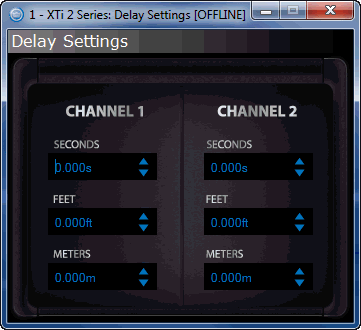
The Delay Block allows users to use delay to time align their drivers. You have three different choices for entering the information. If you know the exact seconds you need, then enter that in the Seconds box. If you do not know how many seconds you need, enter the amount of feet or meters the drivers are apart and the processor will calculate the correct delay time for you.
You can both enter this manually on the keyboard and press Enter, or you can use the scroll arrows on the side of the box.