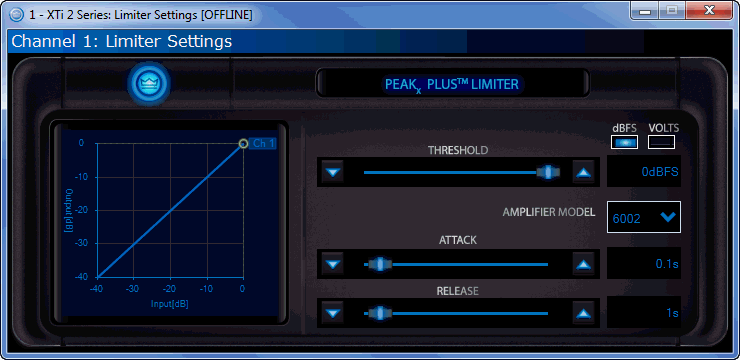
To access the Limiter settings, double click the "Limit" icon on the General Panel. Tthe following screen will appear:
You now have control over the Threshold (in dBFS or Volts), Attack, and Release. If you are working in the offline mode, you will need to select the specific amplifier model so that it can correctly calculate the Threshold in Volts. Click on the AMPLIFIER MODEL box to select the desired model.
Use the Threshold slider or up/down buttons to move the limiter threshold. The circle in the graph may also be clicked and dragged to adjust the threshold.
Use the Attack and Release sliders or up/down buttons to adjust the attack and release parameters.