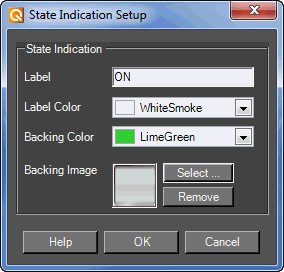
The State Indication Setup window allows you to customize the look of a control such as a button.
Label: The label of the current state
Label Color: The color of the label. Brings up the Select Color window
Backing Color: The color of the label background (such as the color of a button). Brings up the Select Color window
Backing Image: An image for the label. Brings up the Select Image File window